Nightlong: Problems
 Comments(7)
 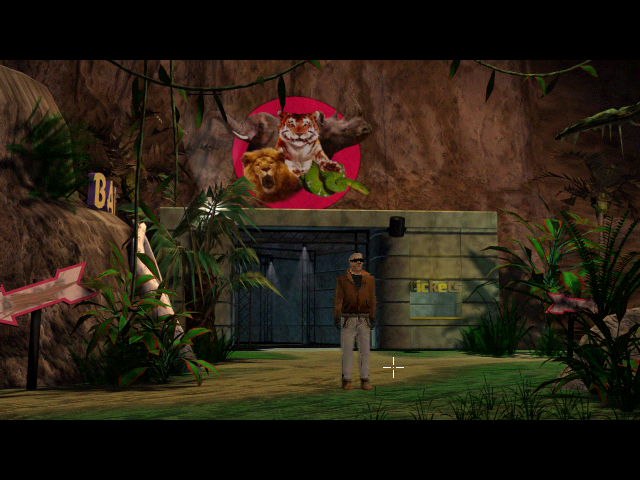 I’m well into the second of Nightlong‘s three discs. Infiltrating the terrorists seems to be mainly a matter of locating their hideout. Currently I’m exploring an abandoned zoo on the basis of the slenderest of leads. Well, it’s called a zoo, but it’s really sort of a cross between zoo and museum, with a few robotic animals still in their enclosures. And the leads are only slender in terms of the in-game plot; as a detective, I’d think I was going to too much effort with too little justification, but as a player, I know full well that you have to go where the puzzles are.
I’m also starting to hit errors in a big way. I wrote last time that I had figured out how to get the game to run without immediately exiting with a fatal error saying that it wasn’t installed properly. It turns out I was wrong. I still get the fatal error on startup sometimes, apparently at random. Also, I have now experienced the audio problem in cutscenes that other players described. Or a mild form of it, anyway: it’s just a half-second pause in the audio component every once in a while, which isn’t a terribly big deal, but it wasn’t happening before.
The one problem that worries me the most is descibed at ntcompatible.com as follows:
Game crashes on CD 2 once you go to the left of the entrance to the zoo. Setting compatibility mode for Win95 buys you a little more time, but still crashes. Read that there is a workaround for this, but you miss a chunk of the plot.
Now, I’ve experienced this crash in exactly the location described, and I’ve enabled Win95 compatibility mode, and I’ve gone back to the same location without crashing. It’s not clear how much “more time” this should “buy” me, but I didn’t experience any more problems until I actually quit the game, at which point it gave me a fatal error dialog. I hope I can get through the game without crashing, or at least past the “chunk of the plot” that the workaround skips.
It’s a delicate balance sometimes, timing when to play PC games. Generally speaking, you don’t want to play them with the hardware you have when they first come out. You want to play them with a machine that takes best advantage of the game’s capabilities. But if you put it off too long, you’ll wind up with a machine whose hardware or operating system is incompatible with it, or that’s more powerful than the programmers planned for. This has been less of a problem under Windows than it was in DOS days, but it still crops up sometimes. Of course, I do still have a number of DOS games on the stack, so we’ll be seeing all kinds of problems in the future.
True enough. Maybe it’s worth buying a win95 era computer somewhere just so i can play some of my favorite old games that I can’t get working on my modern computers. I’ve played Tie fighter in the my-computer-is-not-good-enough stage, but never enjoyed it running smoothly on appropriate hardware.
Sure! i’m having the same problem in nightlong, the game crashes when you go to left down entrance at the zoo. listen anybody have a save file of the game just after this crash part ? Maybe its possible to keep playing skiping this crash with a save file
Wish I could help you, but after three years, I don’t have my saves any more.
Ultimately, just enabling Win95 compatibility was enough to get me through the rest of the game without crashing.
Anybody in 2018 solved the problem in crashing in the zoo? Win10 with win95 compatibility and it still crash… Do have anybody savegames?
i found an savegame-file-after the “zoo-fail”…
if u need, answer here.
best regards fom germany
Hello! Win10 and Win95 compability doesn’t work. Do you have that savegame after the zoo-fail?
Thanks!
I have just found it, but it’s a pity because you miss a pretty plot of the adventure. I have tried it in another pc with Windows 7, and with 95 compability no problems.
Greetings!